HTML PAGE STRUCTURE
HTML Page Structure
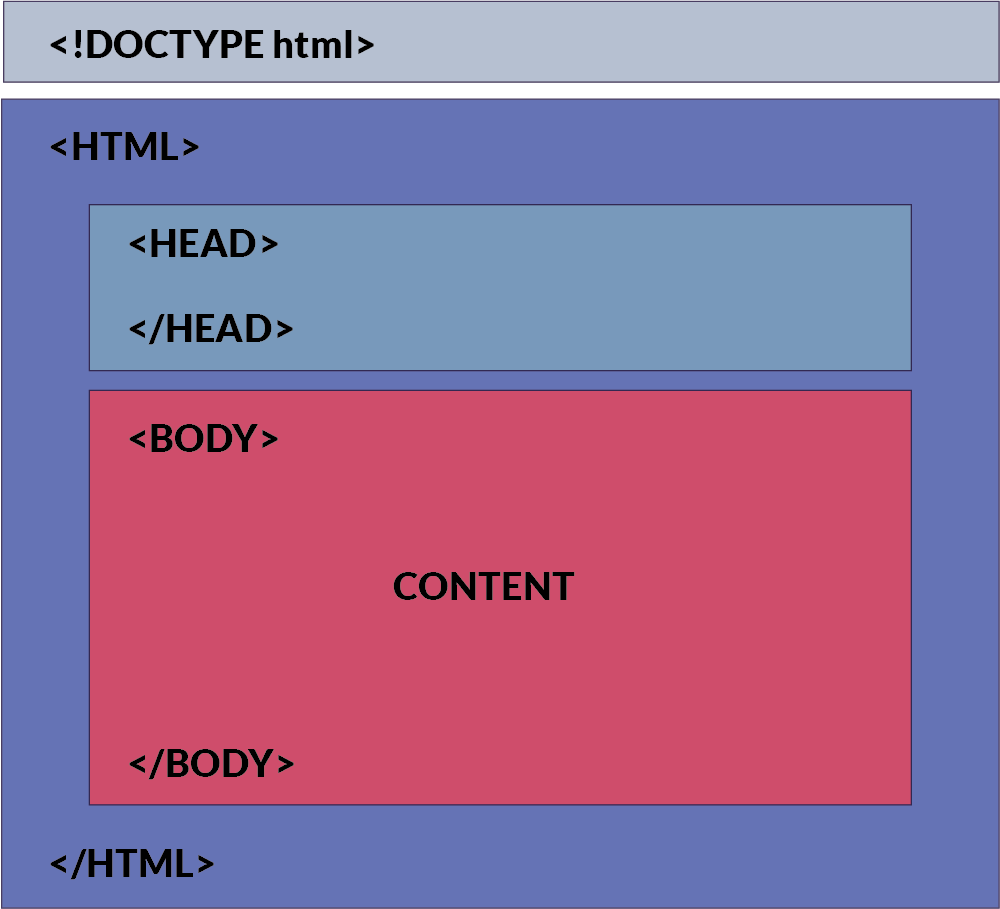
An HTML document is structured using a set of nested tags. Each tag is enclosed within <…> angle brackets and acts as a container for content or other HTML tags. Let's take a look at a basic HTML document structure:
DOCTYPE Declaration
The <!DOCTYPE html> declaration informs the web browser about the HTML version being used. The latest version is HTML5. But if this changes in the future (maybe 10 years down the line), the doctype declaration will be helpful!
HTML Root Element
The <html> tag is the root element that encapsulates all the content on the page.
The </html> tag marks the end of the <html> section.
Head Section
The <head> tag contains metadata and links to external resources like CSS and JavaScript files.
The </head> tag marks the end of the <head> section.
Title Tag
The <title> tag sets the title of the web page, which is displayed in the browser's title bar or tab.
Body Tag
The <body> tag contains the visible content of the web page. This is where text, images, and other elements go.
The </body> tag marks the end of the visible content of the web page.
Every HTML page should include at least these essential elements to define the basic layout. In upcoming tutorials, we'll dive deeper into the fascinating world of HTML.
Visualization of an HTML Document:
The following image provides a visual representation of the HTML structure:
How This Content Appears in a Web Browser:
Consider this html code:
Below is an image showing how this HTML document will be rendered in a web browser:
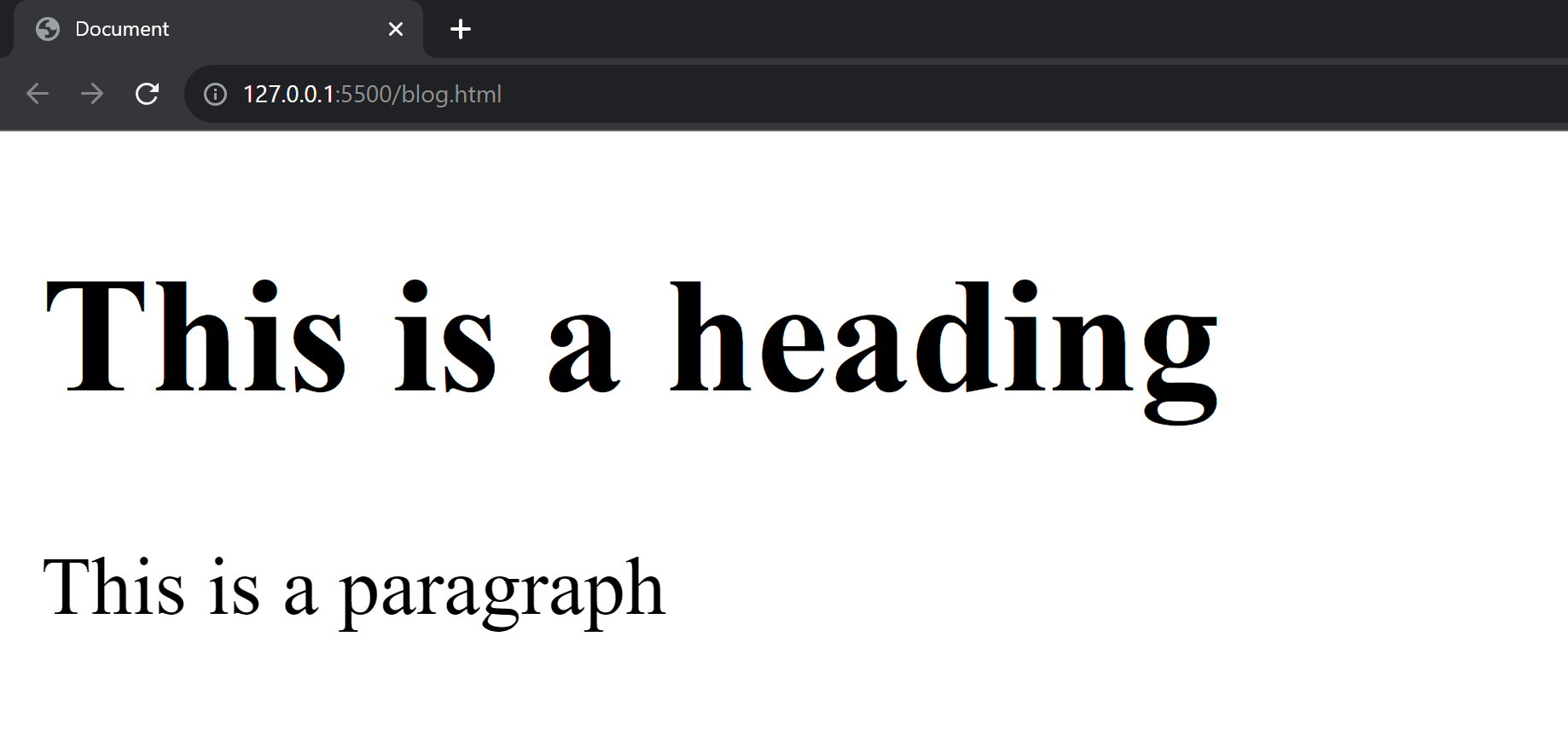
In the browser, the title bar will display the content from the <head> section, specifically the <title> tag. The main area of the browser window (usually a white background) will display the content inside the <body> tag.
In the upcoming sections, we will learn about html tags and elements.
Comments
Post a Comment